Codes and widgets: custom CSS and scripts
The "Codes and Widgets" section in Settings allows you to insert your own code into your website: counters, advertising pixels, chat widgets, cookie banners, as well as your own CSS for fine-tuning the appearance.
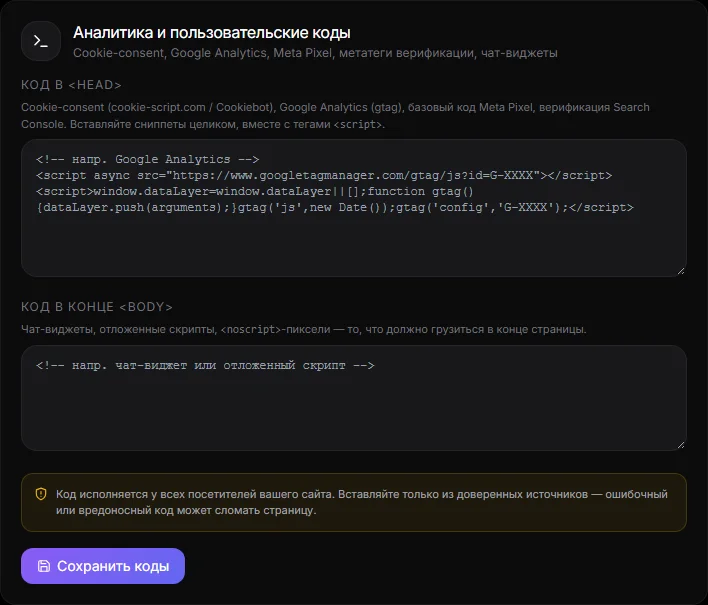
Code in the head and body#
- Head code — inserted into
<head>of each website page. For Google Analytics, Meta Pixel, and verification meta tags. - The code at the end of the body is inserted before
</body>. For chat widgets, cookie banners, and scripts that require a loaded page.
Paste the entire code as provided by the service and click "Save." The character limit is 20,000 characters per field. The code only works on the public website, not in your account.
Examples:
- Google Analytics 4 -
gtag.jsfragment in head. - Meta Pixel is a fragment of a pixel in the head.
- Chat widget (Tawk, Crisp, JivoChat) - script in body.
- Verifying Google/Bing/Yandex rights is more convenient through the SEO block → “Verification of rights”.
Custom CSS#
Custom CSS is added via the AI assistant or the connected AI chat: "Add CSS: make buttons completely round." The assistant checks the code and applies it to the site. For precise customization, use site element attributes, such as [data-asd="card"] for the card, [data-asd="header"] for the header, and [data-asd="block-hero"] for the hero block. The assistant will suggest a list.
Your CSS is stored separately from the CSS style from the catalog: when you change the style, your edits are preserved.
Limitations and safety#
- In your CSS, the
<style>,<script>,@importtags and expressions are prohibited - they are removed during validation. - Scripts in the head and body are executed in the visitor's browser. Only insert code from services you trust.
- If the site "breaks" after pasting, clear the field and save - the site will return to its normal appearance.
Questions and answers#
The counter doesn't count#
Make sure the code is pasted into the head, saved, and the site is open at a public address (not in your account). Ad blockers may interfere with verification.
Is it possible to insert a map or form?#
Yes, as a "Custom HTML" block on the page via the AI assistant. See Home and Menu.