Integrations: payment, order notifications, inventory control, custom storage
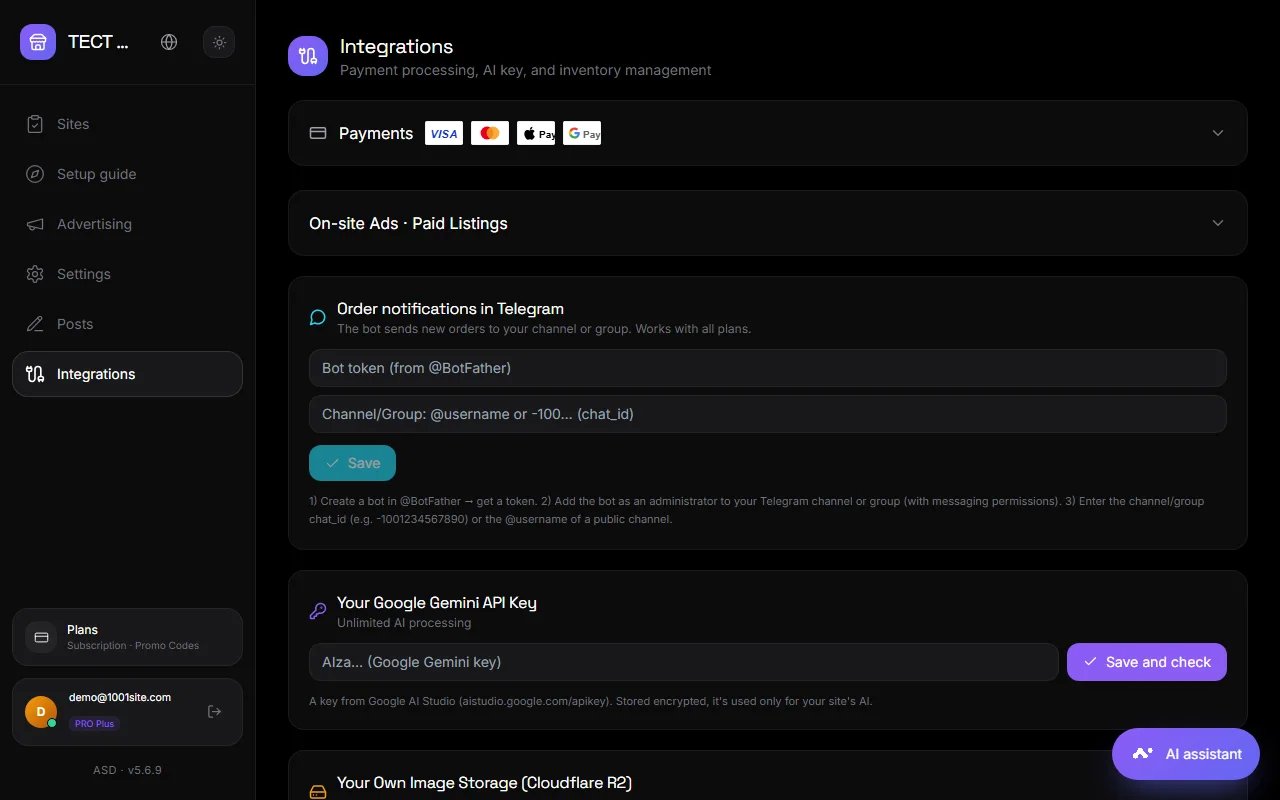
The "Integrations" section in your account collects connections to external services: payment acceptance, notifications, inventory control, and image storage.
Accepting payment#
Payment is required for store orders, paid ad promotion, and paid advertising.
- Stripe — the whole world. Paste the secret key (
sk_live_…orsk_test_…) and click "Verify and connect." The published key is optional. - Monobank (Ukraine) — insert the internet acquiring token (X-Token from your Monobank personal account) and click "Check and connect."
- Payment currency — select a currency; the list depends on the connected systems (both support different sets).
Both systems can be connected: the buyer will see the available methods in the shopping cart.
Paid ads and promo codes for sellers#
Block "Advertising within the service · paid ads":
- Free listings per seller —the limit of active listings, beyond which a package can be purchased. 0—unlimited.
- Tariffs — packages for sellers: name, price, number of listings or promotion days. A tariff can be temporarily disabled.
- Promo codes – discounts when paying for a package: code, expiration date, usage limit.
Order notifications in Telegram#
The bot sends every new order to your channel or group. Works on all plans.
- Create a bot at @BotFather and add it as an administrator to a channel or group.
- Paste the token and @channel name (or chat_id), click "Save", then "Test connection" - you will receive a test and a summary for today.
This is a separate bot from the auto-posting ads, but you can use the same token.
Warehouse accounting (external system)#
If your products are managed in your accounting system (warehouse, CRM), it can upload products and balances to the site using an API key, and the site can notify it about sales.
- Inventory control keys: "Generate Key" → name (e.g., "Prague Store") → the key is displayed once. The key can be revoked.
- Sale Alert: The address on your system where the site sends order information.
- Fields with a limited set of values are transmitted as codes; unclear values are reported as warnings. See Categories and Attributes.
- If you need a ready-made synchronization for your system, click "Order synchronization development."
Your own image storage (Cloudflare R2)#
By default, photos are stored with us. With paid plans, you can connect to your own Cloudflare R2 bucket, and your photos will be stored locally.
- In Cloudflare, create a bucket (for example
my-site-images) and make it publicly accessible. - Copy the Account ID, create an R2 API token (Access Key ID and Secret Access Key), and specify the bucket's public address.
- Paste everything into the "Personal Image Storage" section and click "Test and Connect." The site will save and delete the test file.
Once connected, new photos are saved to your R2. Old ones remain with us. Don't delete the bucket or token while the storage is connected.
AI catalog#
Export products with real links in Markdown or JSON for AI assistants and integrations. See Connecting Claude, ChatGPT, and Gemini.
Questions and answers#
Stripe says "key is invalid"#
Please make sure you have pasted the secret key (sk_…) and not the published one (pk_…), and that the correct mode (test or live) is enabled in Stripe.
Is it possible to accept payments without Stripe and Monobank?#
Yes: cash on delivery or a custom "Order by phone" button in your cart settings. Online payment will not be possible in this case.
The warehouse inventory key is lost#
Revoke the old one and create a new one. The key is shown only once upon creation.