Posts and post editor
The "Posts" section is a post editor for Telegram, WhatsApp, and your website. Here you can customize the appearance of auto-posted ads and write one-off posts, such as promotions, news, and articles.
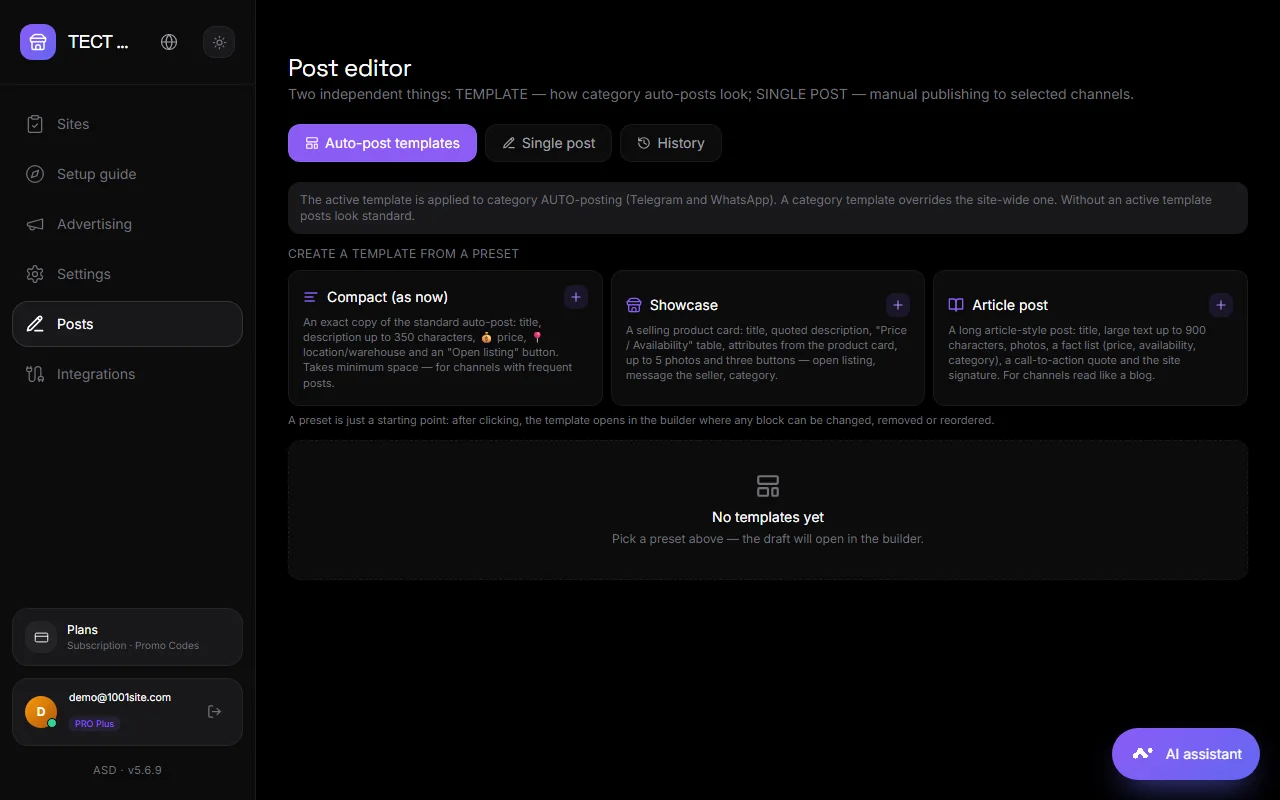
Three tabs#
Auto-publishing templates#
A template is how the bot formats an ad post in a channel or group. There are ready-made presets: "Compact," "Showcase," and "Article Post." The template is assembled from the following blocks:
- Heading, text, paragraph, quote, list, numbered list, separator, code block.
- Characteristics are "Name - Value" strings; the value can be taken from the declaration variable. A string with an empty variable is not included in the post.
- Product photos and "My Files" — photos, videos, audio, PDFs up to 50 MB, and 10 files. Media above or below the text.
- Buttons are links below the post.
- Payment – a payment button directly in Telegram: choose the product price or your own, or request quantity.
- Bot's reaction to the post.
Variables: title, price, description, website name, and others. A template can be created for the entire site or for a specific category; a category template is more important than a general template. The "Test" button sends a sample to the selected channel.
One-time post#
A post you write yourself: a promotion, news, article.
- Create a post from blocks or choose a preset.
- Choose where to publish: Telegram channels, WhatsApp groups, website landing pages (home page feed). You can select multiple targets at once.
- For the landing page, set the post title and post category.
- Click Publish or Schedule for a date and time.
The draft is saved automatically and restored in the next session.
Story#
Published and scheduled posts. A post can be deleted from a channel. For landing pages, it can be deleted from the website.
Posts on the site#
In "Landing" mode, posts are displayed as a feed on the homepage, similar to Threads: a card with a photo, text, likes, and a "Share" button. Posts have a URL /blog/название. You can also write posts directly on the website using the "Write" button, which is visible to the administrator.
Sending a newsletter to bot subscribers#
Separate from posts, you can send a newsletter to everyone who has messaged your bot in private messages. Settings → Telegram and WhatsApp → "Broadcast to bot subscribers." See Telegram.
Questions and answers#
Do you need your own bot?#
For Telegram, yes, a bot from @BotFather added to your channel by the admin. It's configured once in "Auto-publishing" or in the "Custom bot and channel for posts" section. For WhatsApp, it's a connected phone number.
Is it possible to format a post like in Telegram—bold, links?#
Yes. The editor supports Telegram formatting: bold, italics, links, quotes, and code.
Where can I change the auto-post text of an ad?#
The "Auto-Publishing Templates" tab. Edit the blocks and save—new ads will be published using the new template.